Strategies to Improve Core Web Vitals Scores
Improve Core Web Vitals to create faster, stable, and responsive pages. Better user experience supports stronger Google ranking and long-term SEO performance.

Have you ever opened a website and left immediately?
The page loaded slowly. Interactive elements responded late. The layout shifted unexpectedly. Frustrating, isn’t it?
You might have spent hours creating content, but visitors leave before reading a single line.
Google notices this too. Core Web Vitals measure how fast and stable your pages are. Improving them benefits users and search rankings.
What Core Web Vitals Are & How They Affect Google Search
Core Web Vitals are a set of performance signals that measure how users experience a web page. They focus on three core aspects of page quality:
-
How quickly the page loads
-
How smoothly users can interact with it
-
How stable the page layout remains while loading
When these signals are weak, users may leave before engaging with the content. Even high-quality pages can lose visibility if the page experience is poor. Google uses Core Web Vitals as part of its search systems to understand which pages provide a better user experience.
Small technical improvements can lead to noticeable results, such as:
-
Optimizing images to reduce load time
-
Removing unnecessary scripts that delay interaction
-
Reserving space for images, videos, and ads to avoid layout shifts
Rectifying Core Web Vitals helps create a smoother browsing experience and supports stronger visibility in Google search results, while also contributing positively to overall Google ranking.
How LCP, INP & CLS Affect Your Website Experience
1. LCP - Largest Contentful Paint
What it Measures:
LCP tracks how long it takes for the main content of a page to appear on the screen. This is usually the largest visible element, like a banner image, hero section, or main heading.
Assume:
Imagine visiting an e-commerce website. You want the main product image, product title, and price to appear quickly. When these load fast, the website feels responsive and professional.
How it Looks on a Website:
-
Page starts loading
-
Header appears
-
Main image or heading appears
-
The time it takes = LCP
Performance Ranges:
-
Good: Under 2.5 seconds
-
Needs Improvement: 2.5 - 4 seconds
-
Poor: More than 4 seconds
Impact on Users:
If the main content takes too long, users may leave thinking the site is slow, which reduces engagement and conversions.
2. INP - Interaction to Next Paint
What it Measures:
INP shows how quickly a page reacts when users interact, like clicking a button, tapping a link, or submitting a form.
Assume:
Clicking the “Buy Now” button on a product page should respond immediately. Any delay can make users feel the site is broken or untrustworthy.
How it Looks on a Website:
-
User clicks a menu item
-
Submits a form
-
Opens a dropdown or modal
-
Time taken to respond visually = INP
Performance Ranges:
-
Good: Under 200 ms
-
Needs Improvement: 200–500 ms
-
Poor: Over 500 ms
Impact on Users:
Slow interactions frustrate users, reduce trust, and may cause them to abandon tasks even if the page looks loaded.
3. CLS - Cumulative Layout Shift
What it Measures:
CLS tracks how much the page layout moves or jumps unexpectedly while loading. It ensures visual stability and prevents accidental clicks.
Assume:
Imagine reading a business article or checking product details. Suddenly, images or text move down, or buttons shift, causing a wrong click.
How it Looks on a Website:
-
Page begins loading
-
Text appears first
-
Images load afterward
-
Total movement of visible elements = CLS
Performance Ranges:
-
Good: Less than 0.1
-
Needs Improvement: 0.1–0.25
-
Poor: More than 0.25
Impact on Users:
Unexpected layout shifts cause mistakes, confusion, and poor user experience. Stable pages feel professional and build user confidence.
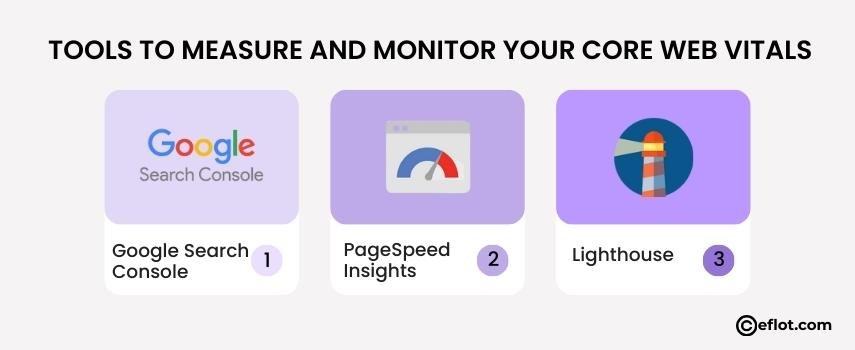
Tools to Measure and Monitor Your Core Web Vitals
You might be thinking: “How do I know if my site is slow or unstable?”
Luckily, there are simple tools:
-
Google Search Console - Shows which pages have low scores.
-
PageSpeed Insights - Test each page and get improvement suggestions.
-
Lighthouse - Offers detailed audits on LCP, INP, and CLS.
Pro tip: Test on both mobile and desktop. Many problems only appear on phones.
Ask yourself: Are you checking these metrics regularly or waiting for complaints? Regular monitoring helps you catch issues early and supports better SEO (Search Engine Optimization) by improving page experience before visitors or search engines are affected.
Easy Ways to Improve Largest Contentful Paint
Think of LCP as how fast your “main show” appears on screen. If it’s slow, visitors click away. Here’s what you can do:
-
Optimize images - Compress them, use modern formats like WebP.
-
Lazy load images - Load them only when they appear in view.
-
Minimize heavy CSS and JavaScript - Reduce what blocks rendering.
-
Improve server speed - Better hosting and caching help a lot.
-
Preload key resources - Make sure critical elements load first.
Imagine reducing your LCP by 1-2 seconds. That might keep visitors from bouncing and encourage them to explore more pages.
How to Reduce Cumulative Layout Shift on Your Pages
CLS is sneaky. You might not notice it until users complain. Here’s how to fix it:
-
Set the width and height for images and videos to prevent sudden jumps.
-
Reserve space for ads and pop-ups - Don’t let them push content down.
-
Keep fonts and buttons consistent - Changing sizes or styles causes layout shifts.
-
Test on multiple devices - Smaller screens are more likely to experience shifts.
Imagine reading an article and suddenly the paragraph you were on moves down. Annoying, right? Reducing CLS makes pages predictable and pleasant to read.
Simple Steps to Improve Page Responsiveness
INP is all about clicks, taps, and typing working instantly. Here’s how to fix slow pages:
-
Remove unused scripts - Extra JavaScript slows everything down.
-
Defer non-essential code - Load scripts only when needed.
-
Reduce third-party scripts - Chat widgets and ads can cause delays.
-
Optimize forms and buttons - Make clicks and typing responsive.
Think of it this way: A responsive page feels alive. Users enjoy interacting, and engagement increases. This is why a Digital marketing agency focuses on page responsiveness as a key part of improving user experience and search performance.
Improving Core Web Vitals makes your website faster, more responsive, and stable for visitors. Small changes can keep users engaged and help your site rank better on Google.
Digital Marketing services in Other Locations in India
Bangalore | Hyderabad | Chennai | Pune | Ahmedabad | Coimbatore | Mumbai | Kolkata | Patna | Amritsar | Indore | Kozhikode | Trivandrum | Jaipur | Nagpur | Gwalior | Dehradun | Noida | Vizag | Raipur | Agra | Gurgaon | Madurai | Udaipur | Thrissur |