How to Identify and Fix Keyword Cannibalization Issues
When multiple pages target the same keyword, rankings suffer. Discover how to find and fix keyword cannibalization early before traffic drops faster.

You work hard on content.
You publish blogs.
You add service pages.
Still, rankings do not move the way you expect.
This is the scary part.
Many websites lose traffic not because of poor content, but because of a hidden problem called Keyword Cannibalization.
Most people notice it only after traffic drops.
If you delay fixing it, competitors can take your space on Google faster than you think.
Let’s understand this clearly, step by step
What Is Going Wrong Inside Your Website?
Think of your website like a classroom.
If two students shout the same answer at the same time, the teacher gets confused.
The same happens when Keyword Cannibalization exists on a website.
It means more than one page from your site tries to rank for the same keyword or same topic.
Google does not know which page to trust.
So it keeps changing its choice.
This confusion leads to weak results, even if your content is helpful.
Why This Issue Can Slowly Kill Your Growth
Many people think writing more pages is always better.
But when Keyword Cannibalization happens, search engines split attention between pages.
No single page becomes strong.
This leads to:
-
Unstable rankings
-
Fewer clicks
-
Lower trust from Google
-
Visitors landing on the wrong page
The worst part?
You already have content that could rank well.
It just needs clarity.
Signs You Should Take Action Now
You do not need to guess.
Your website already shows signs.
Watch out for these:
-
Two pages ranking for the same search term
-
One keyword showing different URLs every week
-
Old content ranking instead of updated pages
-
Blogs with very similar titles
-
Traffic staying low even after new posts
These signs often point to Keyword Cannibalization, which can hurt your search rankings and organic traffic. Ignoring it only makes it harder for your pages to perform well in SEO.
How to Fix the Issue the Right Way
Finding the issue is simpler than most people think.
Step 1: Google Search Console
-
Open the Performance report.
-
Select a keyword.
-
Check how many pages appear.
If you see more than one page, note it down.
Step 2: Simple Google Search
Type:
site:yourwebsite.com your topic
If many similar pages show up, there is overlap.
Step 3: Review Page Intent
Read the pages like a user.
Ask:
“Are these pages answering the same question?”
If yes, Keyword Cannibalization is already active.
Pages That Usually Create Confusion
|
Page Type |
What Goes Wrong |
|
Blog posts |
Similar topics written many times |
|
Service pages |
Same service explained in different ways |
|
City pages |
Only city name changed |
|
Old pages |
Never updated or redirected |
These pages compete instead of supporting each other.
How to Fix the Issue Without Losing Content
Fixing Keyword Cannibalization does not mean deleting everything.
Here is a smart and safe approach.
Step 1: Select One Primary Page
Choose the page that:
-
Matches user intent best
-
Gets more clicks
-
Explains the topic clearly
This page becomes the main authority.
Step 2: Combine Similar Pages
Other pages are not useless.
They just need direction.
-
Merge useful information
-
Remove repeated points
-
Improve flow and clarity
Then redirect those pages to the main one.
Step 3: Clean Internal Linking
All internal links should point to your main page, guiding both users and search engines. This helps search engines understand which pages matter most and improves how your site ranks.
Proper internal linking also works like an internal link-building strategy, passing value between pages and helping key content appear higher in search results.
Step 4: Change Topic Focus Where Needed
If pages must stay separate:
-
Adjust the angle
-
Target different questions
-
Avoid same keyword usage
This stops internal conflict completely.
Why Most Websites Create This Problem Again and Again
Most sites do not plan content properly.
Common mistakes include:
-
Writing without keyword mapping
-
Not checking old content
-
Creating new pages instead of updating existing ones
-
Using the same headings again
These habits invite Keyword Cannibalization back into the site.
A Simple Rule That Saves Time and Rankings
Before publishing any new page, stop for a moment.
Ask:
“Do I already have a page for this topic?”
If yes:
-
Update it
-
Add fresh examples
-
Improve structure
Do not write a new page for the same purpose.
This one habit can protect your site for years.
How Fixing This Changes Everything
Once the conflict is removed:
-
Website Rankings stop fluctuating
-
Clicks become steady
-
Pages gain authority
-
Users find answers faster
It feels like removing noise from a conversation.
Google listens clearly. Users stay longer.
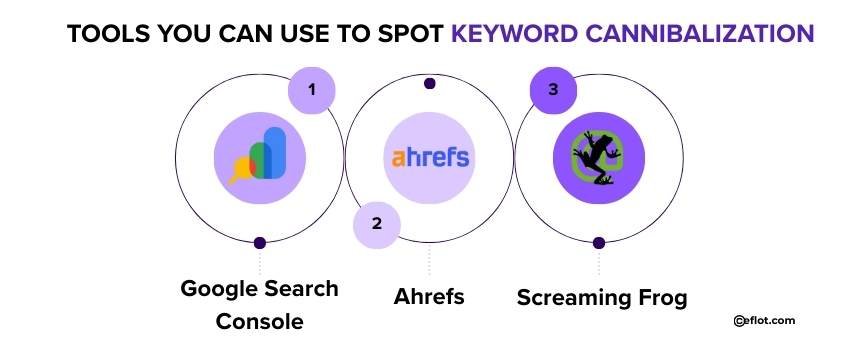
Tools You Can Use to Spot Keyword Cannibalization
You don’t need to be an SEO expert to find these issues. Here are a few simple tools that help:
-
Google Search Console - Check performance by keyword and see multiple URLs.
-
Ahrefs - Track keyword rankings and competing pages on your site.
-
Screaming Frog - Crawl your website to find pages targeting the same keyword.
Using these tools regularly can prevent hidden Keyword Cannibalization from hurting your rankings. Even small checks every month make a big difference.
Long-Term Content Planning Tips
To stay safe:
-
Maintain a keyword list
-
Assign one main topic per page
-
Review old pages every few months
-
Merge content instead of repeating it
These steps reduce confusion and build trust over time.
Keyword Cannibalization is easy to miss, but hard to ignore once damage starts.
Many sites fail not because of poor writing, but because content fights itself. Fixing this problem brings clarity to search engines and confidence to users.
Digital Marketing services in Other Locations in India
Bangalore | Hyderabad | Chennai | Pune | Ahmedabad | Coimbatore | Mumbai | Kolkata | Patna | Amritsar | Indore | Kozhikode | Trivandrum | Jaipur | Nagpur | Gwalior | Dehradun | Noida | Vizag | Raipur | Agra | Gurgaon | Madurai | Udaipur | Thrissur |