Make Your Content Visible in Google Snippets with AI
Learn how to get your content noticed on Google with snippet strategies, AI insights, structured content, and tracking for higher clicks.

Getting Noticed on Google Search Can Be Tough
Millions of articles compete for attention every day.
-
Traffic may be okay, but clicks don’t convert.
-
Visitors leave without taking action.
-
Competitors rank higher, even with less content.
Google Snippets can fix this:
-
Show your content at the top of search results
-
Build trust quickly with readers
-
Increase the chance that people click and stay
Plain content isn’t enough. Google looks for clarity, structure, and clear answers. This is where AI can help.
How AI Can Help Identify Snippet Opportunities
Think of AI as your personal research assistant, helping you discover what people are searching for and how to improve your SEO impact.
-
Spot high-demand questions: AI identifies queries with strong search volume.
-
Analyze competitors: See what ranks now and where your content can offer a better answer.
-
Predict trending topics: Know which questions will grow in interest soon.
How AI Identifies Snippet Opportunities
|
Function |
How It Helps |
Outcome |
|
Keyword & Question Analysis |
Finds frequently asked queries |
Targeted snippet optimization |
|
Competitor Snippet Review |
Highlights what’s ranking |
Identify content gaps |
|
Trend Prediction |
Detects emerging searches |
Publish content ahead of trends |
|
Readability Score |
Rates clarity and simplicity |
Increases snippet chances |
Think of it this way: missing AI insights is like fishing without bait, you might catch something, but not much.
Different Types of Google Snippets
Google displays content in several snippet formats. Knowing them helps your content fit what Google is looking for:
|
Snippet Type |
Description |
Best Use Case |
|
Paragraph |
Short, direct answer |
“What is…”, “Why does…” |
|
List |
Steps or numbered points |
Tutorials, “how-to” guides |
|
Table |
Structured data, comparisons |
Stats, pricing, feature comparisons |
|
Video |
Short clips answering a question |
Demonstrations, tutorials |
Each snippet type has its own requirements. Using the right format increases the chance your content gets noticed.
Steps to Create Snippet-Friendly Content
Think of snippets as Google highlighting the best answer. Here’s how to make content snippet-ready:
1. Answer Quickly
-
Put the main answer in the first 40–50 words.
-
Be clear, simple, and direct.
Example:
A featured snippet shows a concise answer at the top of Google search results.
2. Use Clear Headings
-
H2/H3 should match the question.
-
Break content into small sections for easier reading.
Example:
Instead of “SEO Tips,” use “SEO Tips for Google Snippets.”
3. Use Lists and Tables
-
Bullet points and tables are easy for Google to pick.
-
Numbered lists work for steps or guides.
|
Step |
Action |
|
1 |
Answer question fast |
|
2 |
Add clear headings |
|
3 |
Use bullets or tables |
|
4 |
Add examples or visuals |
4. Add Keywords Naturally
-
Include terms like “Google Snippets,” “featured snippets,” and “AI rich snippets SEO.”
-
Don’t overstuff, write naturally.
5. Add Visuals or Examples
-
Charts, screenshots, or mini tables help Google and readers.
-
Step-by-step visuals make content easier to scan.
6. Keep It Short
-
Use 2–3 line paragraphs.
-
Sentences under 20 words work best.
7. Answer Related Questions
-
Add FAQ or “People also ask” sections.
-
Target multiple snippets in one page.
8. Monitor and Adjust
-
Check Google Search Console for impressions and clicks.
-
Update headings, lists, or answers to improve performance.
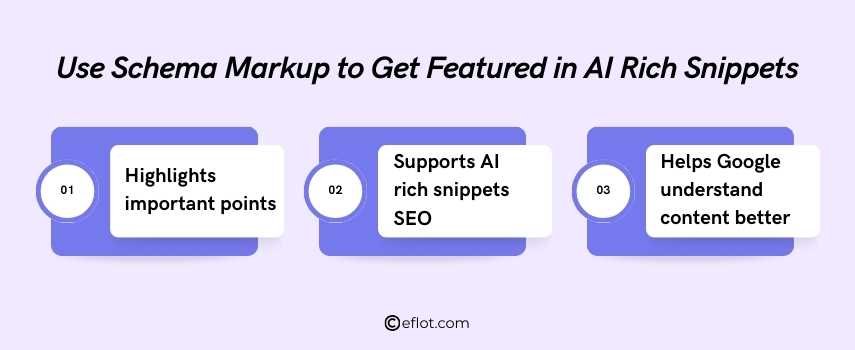
Use Schema Markup to Get Featured in AI Rich Snippets
Schema markup tells Google what your content is about. Without it, even strong content may be overlooked.
-
Highlights important points: FAQs, how-to steps, reviews, or product info
-
Supports AI rich snippets SEO: Makes content eligible for paragraph, list, table, or video snippets
-
Helps Google understand content better: Structured data clarifies the purpose of each section
Even basic plugins or tools can add schema. It’s a small step that signals your content is ready for Google Snippets.
Common Mistakes That Prevent Snippets
Even strong content can fail if these issues exist:
-
Long, unclear paragraphs → Google prefers concise answers
-
Missing headings → AI struggles to find main points
-
Ignoring search intent → Content must answer the user’s exact question
-
Skipping schema markup → Google needs clear signals
-
Poor readability → Simple, direct language works best
Think of it like a recipe: even with the best ingredients, skipping steps ruins the result.
How to Track and Improve Snippet Performance
Once content is live, tracking helps make it better.
-
Check Google Search Console
-
See clicks, impressions, and Google rankings.
-
Know which pages are getting attention.
-
Find top questions
-
Look at queries bringing the most traffic.
-
Focus on answering them clearly.
-
Update answers
-
Refresh content if trends or user intent change.
-
Even small changes help your snippet.
-
Look at competitors
-
See what they rank for.
-
Make your content clearer or easier to read.
-
Use AI tools
-
Get tips to improve headings, bullets, or examples.
-
Helps Google notice your content.
-
Track snippet type
-
Check if it’s paragraph, list, or table.
-
Adjust formatting for better chances.
-
Try different formats
-
Use bullets, numbered lists, or tables.
-
See what works best for Google.
-
Test headings and keywords
-
Small changes can increase snippet visibility.
-
Keep headings clear and close to the question.
Partnering with a Digital Marketing Agency can help manage and improve snippet strategy effectively.
Google Snippets put your content in front of the right audience. Clear, structured, and well-formatted content increases visibility and clicks. Using AI and simple strategies makes it easier to get featured.
Digital Marketing services in Other Locations in India
Bangalore | Hyderabad | Chennai | Pune | Ahmedabad | Coimbatore | Mumbai | Kolkata | Patna | Amritsar | Indore | Kozhikode | Trivandrum | Jaipur | Nagpur | Gwalior | Dehradun | Noida | Vizag | Raipur | Agra | Gurgaon | Madurai | Udaipur | Thrissur |