How to Do a Perfect Technical Audit in Digital Marketing
Become a pro at checking your digital marketing setup with useful advice from experts. Make sure your website is healthy and running well to get the best results.

When I first started my career in digital marketing, one thing quickly became clear, a website’s success depends on more than just great content and engaging visuals. I’ve worked on countless campaigns where technical issues were the hidden culprits behind low rankings and poor website performance. That’s when I realized the importance of a Technical Audit in Digital Marketing. Without it, even the best marketing strategies can fall short.
Conducting a Technical Audit in Digital Marketing isn’t just about ticking off a checklist, it’s about ensuring your website performs optimally and aligns with search engine algorithms. Whether you’re a small business owner or an enterprise marketer, regular audits are the foundation of a successful digital presence. Here I’ll share actionable tips that can help you conduct a flawless Technical Audit in Digital Marketing, ensuring your website is error-free and optimized for both users and search engines.
What is a Technical Audit in Digital Marketing?
A Technical Audit in Digital Marketing is a process of analyzing the technical aspects of your website to ensure it meets the standards of search engines like Google. It focuses on backend factors such as site speed, crawlability, indexability, and mobile-friendliness, which directly impact your rankings and user experience. The goal is to identify and fix any issues that could hinder your website’s performance, thereby boosting your visibility and driving more organic traffic.
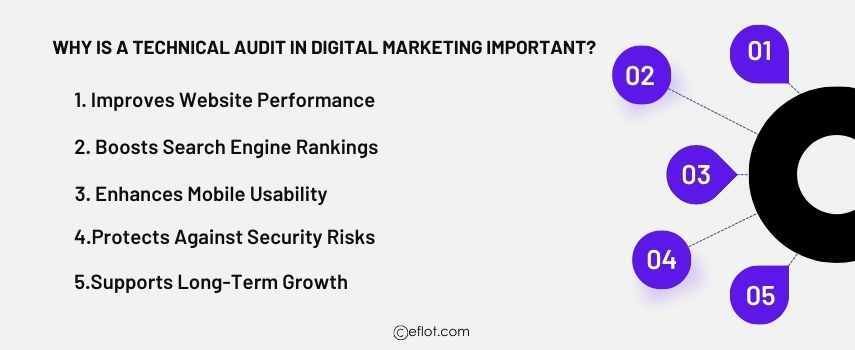
Why is a Technical Audit in Digital Marketing Important?
-
Improves Website Performance: Regular audits ensure your website is fast, secure, and accessible, which improves user experience and engagement.
-
Boosts Search Engine Rankings: Technical issues like broken links or duplicate content can hurt your rankings. An audit helps fix these problems.
-
Enhances Mobile Usability: With mobile-first indexing, ensuring your site is optimized for smartphones is critical.
-
Protects Against Security Risks: Identifying vulnerabilities like outdated plugins or insecure connections (HTTP instead of HTTPS) safeguards your site and users.
-
Supports Long-Term Growth: A healthy, technically sound website is easier to scale and adapt to new marketing strategies.
Tips for Conducting a Perfect Technical Audit in Digital Marketing
1. Start with a Crawl of Your Website
A website crawl is the foundation of any technical audit. Tools like Screaming Frog or Sitebulb can simulate how search engine bots navigate your site. This crawl identifies issues such as broken links, duplicate pages, missing metadata, and orphaned pages.
-
Key Focus Areas: Ensure all pages are accessible and have unique titles and meta descriptions. Look for 404 errors and fix any broken links.
2. Check Site Speed and Performance
Page load speed is a crucial ranking factor and directly affects user experience. Use tools like Google PageSpeed Insights and GTmetrix to analyze your site’s speed and identify elements slowing it down.
-
Quick Fixes: Optimize images, enable browser caching, minify CSS and JavaScript files, and consider implementing a Content Delivery Network (CDN).
3. Ensure Mobile-Friendliness
With Google’s mobile-first indexing, your website’s mobile performance is more critical than ever. Test your site with Google’s Mobile-Friendly Test to ensure it’s optimized for smaller screens.
-
Key Areas to Address: Responsive design, touch-friendly navigation, and properly scaled images.
4. Review Your Website’s Indexability
Check whether all the important pages on your site are indexed by search engines. Use Google Search Console to identify any indexing errors. Look out for pages blocked by robots.txt or marked as "noindex."
-
Tip: Create and submit an updated XML sitemap to ensure all critical pages are indexed correctly.
5. Check for Duplicate Content
Duplicate content can confuse search engines and lead to lower rankings. Use tools like Copyscape or Siteliner to identify duplicate content across your website.
-
Solution: Consolidate duplicate pages with 301 redirects or canonical tags.
6. Analyze URL Structure and Navigation
A clean and logical URL structure is vital for SEO and user experience. Ensure your URLs are short, descriptive, and include target keywords.
-
Pro Tip: Avoid dynamic or excessively long URLs with unnecessary parameters.
7. Test Your Site’s Security
Security is a priority for both users and search engines. Websites without HTTPS are penalized in search rankings. Use tools like SSL Labs to ensure your SSL certificate is installed and working correctly.
-
Extra Step: Regularly update plugins, themes, and software to prevent vulnerabilities.
8. Optimize Internal Linking
Internal links help distribute link equity across your site and guide users to relevant content. Audit your internal linking structure to ensure all important pages are linked.
-
Tip: Use descriptive anchor text and avoid excessive linking.
9. Monitor Core Web Vitals
Google’s Core Web Vitals measures loading, interactivity, and visual stability. Use tools like Lighthouse or Search Console to identify areas for improvement.
-
Focus Areas: Improve metrics like Largest Contentful Paint (LCP), First Input Delay (FID), and Cumulative Layout Shift (CLS).
10. Generate an Audit Report
After completing the audit, compile all findings into a comprehensive report. Include actionable recommendations and prioritize fixes based on their impact on SEO and user experience.
-
Pro Tip: Re-audit your site quarterly to stay ahead of potential issues.
Common Mistakes to Avoid During a Technical Audit
-
Ignoring Mobile Performance and Usability
Mobile usability is a crucial factor in search engine rankings, especially with Google’s mobile-first indexing. Many websites still overlook the importance of responsive design, leading to poor user experience on mobile devices. A lack of mobile optimization can result in slow loading times, misaligned elements, and difficult navigation, which can frustrate users and increase bounce rates. Always test your website’s mobile performance using tools like Google’s Mobile-Friendly Test to ensure it’s optimized for smaller screens. -
Overlooking 404 Errors and Broken Links
Broken links and 404 errors can harm your website’s SEO and disrupt the user experience. When search engines or users encounter these errors, it sends a negative signal about the quality of your site. Moreover, these issues waste the crawl budget, preventing search engines from indexing important pages. Use tools like Screaming Frog to identify and fix broken links by updating URLs or implementing proper 301 redirects. -
Forgetting to Update or Submit XML Sitemaps
An XML sitemap is a roadmap for search engines to crawl and index your website effectively. Neglecting to update or submit your sitemap can lead to unindexed pages, negatively affecting your site’s visibility. Ensure your sitemap is comprehensive, up-to-date, and submitted to Google Search Console and Bing Webmaster Tools for proper indexing. -
Neglecting Core Web Vitals Metrics
Core Web Vitals—comprising Largest Contentful Paint (LCP), First Input Delay (FID), and Cumulative Layout Shift (CLS)—are critical performance indicators for user experience. Neglecting these metrics can result in slow loading times, delayed interactivity, and unstable page layouts, which negatively impact both rankings and user satisfaction. Tools like Google’s PageSpeed Insights and Lighthouse can help identify areas for improvement. -
Conducting Audits Irregularly or Only During Crises
Many businesses treat technical audits as a one-time task or conduct them only when something goes wrong. This reactive approach can lead to long-term technical debt, where unresolved issues pile up and significantly affect your website’s performance. Instead, schedule regular audits (quarterly or bi-annually) to identify and fix problems proactively, ensuring your site remains optimized.
Tools for Conducting a Technical Audit in Digital Marketing
-
Google Search Console
Google Search Console is an essential tool for identifying indexing issues and gaining insights into your website’s performance. It provides information on crawl errors, mobile usability, and Core Web Vitals, helping you prioritize fixes. Additionally, it allows you to monitor your website’s search traffic and identify which keywords are driving clicks. -
Screaming Frog
Screaming Frog is a powerful website crawler that identifies technical issues like broken links, duplicate content, and missing metadata. It simulates how search engine bots navigate your site, providing a detailed audit of on-page and technical SEO factors. Its visual reports make it easy to spot and fix issues efficiently. -
GTmetrix
GTmetrix analyzes your website’s speed and performance by breaking down elements like page load time, server response, and image optimization. Its actionable insights, such as compressing images and minifying code, help improve website speed and ensure a smooth user experience. -
Ahrefs
Ahrefs is widely used for backlink analysis and identifying duplicate content across your site. It provides insights into your website’s domain authority, broken links, and keyword performance, making it an excellent tool for improving both off-page and on-page SEO. It also highlights areas where technical improvements can boost rankings. -
SSL Labs
SSL Labs is a tool dedicated to analyzing your website’s security. It checks the configuration of your SSL certificate, ensuring your site is secure and uses HTTPS. Websites without HTTPS are flagged by browsers as insecure, which can negatively impact both SEO and user trust. Regularly using SSL Labs helps maintain a secure environment for your visitors.
Case Studies
Case Study1:
FlipSpaces, an interior design and architectural technology platform, offers businesses a unique blend of design solutions and VR-based visualizations. Despite having innovative offerings, FlipSpaces struggled with a high bounce rate on its website and slow load times. This hindered their ability to attract and retain visitors, especially in a niche that relied heavily on engaging visuals and interactivity.
Challenges
The website's performance issues were primarily due to unoptimized high-resolution images and complex JavaScript functions that delayed load times. Furthermore, several pages were poorly indexed because of incorrect meta tags and sitemap issues. Mobile usability was another concern, as the website's layout was often misaligned on smaller screens, reducing accessibility for potential customers.
Solutions Through Technical Audit
A digital marketing agency conducted an in-depth technical audit, starting with a crawl of the website to identify bottlenecks.
-
Page Load Optimization: The audit revealed that compressing images and deferring unused JavaScript significantly reduced load times. By implementing lazy loading for images, the website's speed improved dramatically.
-
SEO Fixes: The sitemap was updated, and missing meta descriptions and duplicate tags were resolved to improve crawlability and search engine rankings.
-
Mobile Responsiveness: By addressing layout shifts and optimizing touch targets, the agency ensured the website provided a seamless experience across all devices.
Case Study2:
FreshMenu, a Bangalore-based food delivery brand, built its reputation on offering fresh and healthy meal options. However, the brand began experiencing declining traffic and reduced online orders. Customers frequently complained about slow website navigation, especially during peak ordering times, impacting conversions.
Challenges
The primary challenge was the website's poor technical performance during high-traffic periods. The audit revealed issues like unoptimized server configurations, an overload of HTTP requests, and a lack of content delivery network (CDN) integration. Additionally, there were several broken links and missing schema markup, which affected search engine visibility and user trust.
Solutions Through Technical Audit
A technical audit was conducted to identify areas for improvement, followed by targeted fixes:
-
Server Optimization: The agency migrated FreshMenu’s website to a more efficient hosting service with load-balancing capabilities to handle peak traffic smoothly.
-
Content Delivery Network: A CDN was integrated to deliver static content faster to users across various locations.
-
Schema Markup: Structured data markup was added to highlight menus, reviews, and pricing on search engines, improving click-through rates.
-
Fixing Broken Links: The audit identified and resolved broken internal and external links, enhancing navigation and trustworthiness.
A Technical Audit in Digital Marketing is a vital process that ensures your website is optimized for both users and search engines. By addressing issues like site speed, crawlability, and security, you can improve user experience, boost search engine rankings, and achieve long-term growth. As someone who has seen websites transform through meticulous technical audits, I can confidently say that investing time in this process pays off significantly. Remember, a technically sound website isn’t just good for SEO, it’s essential for building trust and driving conversions. Start your audit, and watch your website grow in the digital environment
Digital Marketing services in Other Locations in India
Bangalore | Hyderabad | Chennai | Pune | Ahmedabad | Coimbatore | Mumbai | Kolkata | Patna | Amritsar | Indore | Kozhikode | Trivandrum | Jaipur | Nagpur | Gwalior | Dehradun | Noida | Vizag | Raipur | Agra | Gurgaon | Madurai | Udaipur | Thrissur |