How Robots.txt Works and Its Role in SEO
Learn how Robots.txt works, common mistakes to avoid, and how it guides Google to important pages so your website stays visible in top search results.

Do you have a website but no one can find it on Google?
Maybe your pages are not showing up in search results, even though your content is great.
The problem could be Robots.txt.
It quietly tells Google which pages to read and which pages to skip.
If Google cannot see your important pages, you could lose visitors, leads, or sales without realizing it.
Learning how it works can help fix this problem and make your website perform better.
What Is Robots.txt?
Robots.txt is a simple text file located on your website’s server.
Its purpose is to guide search engine bots by specifying which pages they can crawl and which pages to avoid.
Think of it as a map for search engines.
It clearly tells bots:
-
“You may visit this page”
-
“Do not visit this page”
While it does not directly improve your search rankings, it makes sure that Google focuses on your most important pages.
For example, a digital marketing agency must make sure its service and location pages are accessible.
If Robots.txt blocks these pages, clients searching online may never find them.
How Robots.txt Works
Here’s how it functions:
-
A search engine bot visits your website.
-
The bot looks for the file.
-
The file provides instructions about which pages to crawl and which to skip.
If a page is blocked, Google cannot read it.
Even if the page has excellent content or is well-optimized, it cannot appear in search results.
This makes it a very important tool.
One wrong line can hide important pages from search engines.
For example, a blog post or product page blocked by mistake will not bring traffic or customers. An e-commerce website can use it to block checkout pages or internal admin pages, so Google focuses on product listings and category pages.
It also helps manage large websites with many pages.
Without clear rules, search engines may waste time crawling pages that do not help rankings.
By guiding bots properly, your key pages get better attention.
This improves how search engines understand your site and keeps your content easy to find.
Basic Structure of Robots.txt
The Robots.txt file is simple and easy to manage.
It uses a few basic commands:
-
User-agent → Specifies which bot the rule applies to, such as Googlebot.
-
Disallow → Pages or folders the bot should not crawl.
-
Allow → Pages the bot can access.
Example:
User-agent: *
Disallow: /admin/
Allow: /services/
This tells all bots not to access the admin folder, but the services page is open.
Even though it is not noticeable, one small mistake can block important pages.
For example, blocking the wrong folder can hide blogs or product pages from search engines.
Even though it is not noticeable, one small mistake can block important pages. Regularly reviewing it helps prevent accidental SEO issues.
Common Mistakes With Robots.txt
-
Blocking Important Pages: One of the most common mistakes is blocking important pages by accident. This often happens when website owners block entire folders without checking what files are inside. As a result, valuable pages like blogs, service pages, or product listings become invisible to search engines.
-
Blocking Useful Content Folders: Sometimes, folders containing images, PDFs, or supporting content are blocked. These files help search engines understand your pages better. When blocked, it can reduce page quality signals and affect rankings.
-
Blocking CSS or JavaScript Files: Blocking CSS or JavaScript files can stop search engines from viewing your site properly. If Google cannot see how a page looks or works, it may judge the page as low quality.
-
Overcomplicated Rules: Confusing or long Robots.txt files create errors. Simple and clear rules are easier to manage and reduce the risk of hiding important content.
Robots.txt vs Meta Noindex
It is important to know the difference:
|
Feature |
Robots.txt |
Meta Noindex |
|
Stops crawling |
Yes |
No |
|
Stops indexing |
No |
Yes |
|
Page visibility |
Bot does not read it |
Page can be crawled but hidden in results |
|
Risk |
High if used incorrectly |
Low |
Use it to block pages you never want search engines to crawl, like admin areas.
Use no-index when you want Google to read the page but not show it in search results.
How Robots.txt Helps SEO
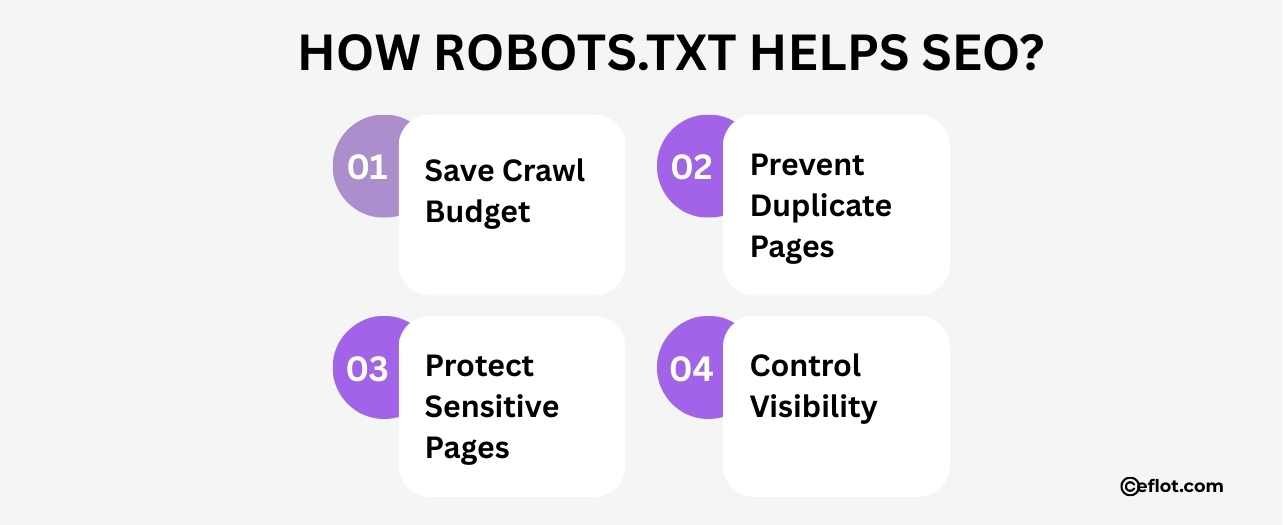
It helps search engines focus on important pages and ignore the rest.
-
Save Crawl Budget: Block pages like admin or thank-you pages so Google can spend time on blogs, products, or service pages.
-
Prevent Duplicate Pages: Stop Google from crawling duplicate or low-value pages. This keeps your site clean and organized.
-
Protect Sensitive Pages: Hide private or development pages without removing them from your website.
-
Control Visibility: Google sees your important pages first, making it easier for them to rank in search results.
Using it correctly improves SEO, site structure, and visibility.
How to Check Your Robots.txt File
Ways to check it:
-
Go to your website URL and type: yourwebsite.com/robots.txt
-
Look for the Allow and Disallow lines.
-
Make sure important pages are not blocked.
Even a single incorrect line can stop Google from reading your site.
You can also use tools like Google Search Console to test your file.
Check it whenever you add new pages or update your site.
Regular checks help keep your website visible and make sure all your important content can be crawled and ranked.
Signs Robots.txt Is Blocking Your Pages
Look for these indicators:
-
Pages do not appear in Google search.
-
New pages do not show up after publishing.
-
Traffic drops unexpectedly without changes to content.
Best Practices to Follow
Follow these simple tips:
-
Keep the file short and clear.
-
Block only pages that should not be crawled.
-
Never block blogs, service pages, or important pages.
-
Review the file after updates to your website.
-
Test it in Google Search Console to confirm it works correctly.
Following these tips ensures your website remains visible and prevents accidental blocks.
It does not directly rank pages, but it controls what Google can see. A mistake in this file can hide your website from clients and reduce traffic without warning.
Digital Marketing services in Other Locations in India
Bangalore | Hyderabad | Chennai | Pune | Ahmedabad | Coimbatore | Mumbai | Kolkata | Patna | Amritsar | Indore | Kozhikode | Trivandrum | Jaipur | Nagpur | Gwalior | Dehradun | Noida | Vizag | Raipur | Agra | Gurgaon | Madurai | Udaipur | Thrissur |