What Is a 301 Redirect? How It Works and Impacts SEO?
Learn how 301 redirects prevent broken links, protect SEO value, and guide users smoothly to new pages when URLs change or pages are removed online.

Pages are often removed during updates or redesigns.
Pages like Old blogs, services, or category pages get deleted. But the links to those pages still exist.
Users click old links and see error pages. They leave immediately.
This issue does not show instant damage. The loss happens over time.
Deleted pages should always point to a relevant page. Without redirection, traffic and trust disappear quietly.
What Is a 301 Redirect?
A 301 Redirect is a permanent instruction given to browsers and search engines that a webpage has moved to a new URL.
In simple terms: Old page → New page
This change happens automatically in the background. Users are sent to the correct page without seeing any error.
A 301 Redirect:
-
Transfers website visitors smoothly to the new URL
-
Prevents broken page experiences
-
Signals search engines to update their records
The visitor lands on the right content instantly. There is no interruption in navigation.
Search engines recognize this as a permanent move. They pass most of the page’s value and relevance to the new URL.
This makes a 301 Redirect essential when pages are renamed, removed, or restructured, helping websites maintain visibility, trust, and long-term stability.
Why 301 Redirect Matters for SEO
Search engines value continuity.
When a page moves:
-
Rankings
-
Authority
-
Link value
must move with it.
A 301 Redirect helps transfer most of that value to the new page.
Without it:
-
Old links break
-
Rankings drop
-
Traffic fades
This loss is often silent but damaging.
How a 301 Redirect Works
Here’s the basic flow:
|
Step |
What Happens |
|
User clicks old link |
Browser requests old URL |
|
Server responds |
Redirect signal sent |
|
New page loads |
User lands correctly |
|
Search engine notes |
URL change recorded |
Everything happens in seconds. The experience stays smooth.
301 Redirect vs 404 Errors
|
301 Redirect |
404 Error |
|
Page has moved to a new location |
Page no longer exists |
|
User is sent to the correct page automatically |
User sees an error page |
|
Visitors continue their journey |
Visitors leave the site |
|
SEO value moves to the new URL |
SEO value is lost |
|
Backlinks remain useful |
Backlinks break |
|
Search engines follow the new path |
Search engines hit a dead end |
|
Helps maintain rankings over time |
Leads to ranking decline |
When Do You Need a 301 Redirect?
Many situations demand it.
1. Website URL Changes
-
Page renamed
-
Slug updated
-
Folder structure changed
2. Domain Changes
-
Old domain to new domain
-
Brand name updates
3. HTTP to HTTPS
Security upgrades need redirects.
4. Deleting Pages
-
Removing pages without redirecting wastes link value.
-
Every external link pointing to that page gets lost.
SEO Impact of a 301 Redirect
A 301 Redirect helps search engines understand permanent page changes.
When used correctly, it protects your SEO performance.
When a 301 Redirect Is Used
-
Search rankings stay stable
-
Organic traffic continues
-
Link value moves to the new page
-
Search engines update URLs faster
When a 301 Redirect Is Missing
-
Rankings slowly drop
-
Important pages disappear from search
-
Crawl errors increase
-
Traffic loss appears over time
Common 301 Redirect Mistakes
Many websites make these errors.
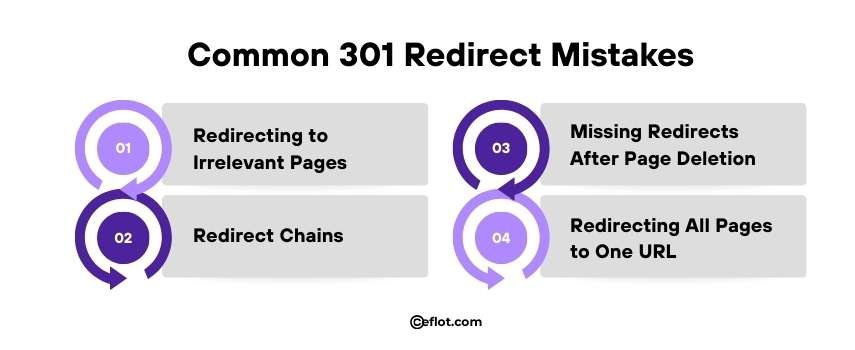
1. Redirecting to Irrelevant Pages
-
Old blog → Homepage
-
Search engines don’t like mismatches.Users don’t trust them either.
2. Redirect Chains
-
Page A → Page B → Page C
-
Too many steps waste crawl time.
3. Missing Redirects After Page Deletion
Deleted pages without redirection become dead ends.
4. Redirecting All Pages to One URL
This looks manipulative and harms visibility.
How 301 Redirects Affect Crawl Budget
Search engines have a limited amount of time and resources to crawl your website.
Every broken or dead URL wastes this time, reducing the number of important pages that get crawled.
When old pages are properly redirected with a 301 Redirect:
-
Crawlers follow the new path smoothly
-
Valuable pages get priority during indexing
-
Search engines understand your site structure better
Without proper redirects, search engines encounter errors, spend time on irrelevant pages, and may miss new or updated content.
Managing 301 Redirects efficiently ensures that crawl budget is used wisely, keeping your site fully visible in search results.
Does a 301 Redirect Pass Full SEO Value?
Most of it, yes.
Search engines transfer:
-
Link authority
-
Page signals
-
Relevance
But only when:
-
Redirect is clean
-
Page relevance matches
-
No redirect chains exist
Poor implementation reduces benefits.
How to Check If 301 Redirects Are Working
You don’t need advanced tools.
Simple checks:
-
Click old links
-
Look for error pages
-
Test important URLs
Search Console also shows crawl issues. Ignoring warnings creates long-term damage.
Best Practices for Using 301 Redirect
1. Redirect Old URLs to Relevant New Pages: Always send old pages to new pages with similar content. Irrelevant redirects confuse users and hurt SEO.
2. Avoid Redirect Chains: One redirect should lead directly to the final page. Multiple steps slow down the site and reduce value transfer.
3. Update Internal Links: Change links inside your site to point to new URLs. This improves navigation and helps search engines crawl efficiently.
4. Monitor Redirects Regularly: Check redirects often to catch errors early. Tools like Search Console make it easy to track issues.
5. Treat Redirects as an Ongoing Task: Redirects are not a one-time setup. Review them whenever pages are updated or removed.
A 301 Redirect protects traffic and search visibility when pages change. It helps search engines and users reach the right content without errors. Ignoring it leads to silent SEO and traffic loss over time.
Digital Marketing services in Other Locations in India
Bangalore | Hyderabad | Chennai | Pune | Ahmedabad | Coimbatore | Mumbai | Kolkata | Patna | Amritsar | Indore | Kozhikode | Trivandrum | Jaipur | Nagpur | Gwalior | Dehradun | Noida | Vizag | Raipur | Agra | Gurgaon | Madurai | Udaipur | Thrissur |