
















What Is Meta Tag in SEO and Why Does It Matter?
Learn about meta tags in SEO, their types, and how they impact search rankings, user experience, and website visibility.

When I started my journey in digital marketing, meta tags felt like just another piece of the SEO puzzle. At the time, I didn’t fully realize their importance. However as I gained experience and worked on multiple websites, I saw how even a small adjustment to a meta tag could improve rankings, bring in more traffic, and make a website stand out in search results. As someone who has collaborated with businesses across various industries, from small startups to enterprises in cities like Calicut and Trivandrum, I’ve seen how crucial it is to effectively understand and optimize meta tags.
So, What is a meta tag in SEO, and why does it matter? In simple terms, meta tags are small snippets of HTML code embedded in a website.
They help search engines understand the page and decide how it should appear in search results. While they aren’t visible on the webpage itself, they play a major role in influencing how both search engines and users perceive your content. Whether you’re new to SEO or looking to refine your strategy, understanding what meta tag in SEO is is a fundamental step in achieving success online.
What Is Meta Tag in SEO?
A meta tag in SEO is an essential element of a web page's HTML code that provides search engines and browsers with information about the content of the page. Although users don’t see these tags directly, they play a crucial role in helping search engines understand what your page is about and how it should appear in search results. Think of meta tags as a summary or "label" for your webpage that determines its relevance to search queries.
Meta tags are used to define the title, description, keywords, and instructions for web crawlers, influencing everything from search engine rankings to click-through rates. For example, the meta title tag is the clickable link you see on Google, and the meta description provides a short snippet of text summarizing the page content.
Why Do Meta Tags Matter?
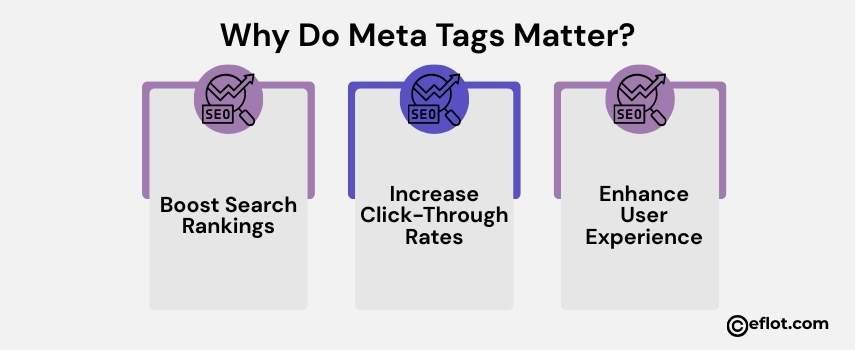
Meta tags are a critical component of SEO, and their importance lies in the multiple roles they play in enhancing your website's visibility and performance. They bridge the gap between your content, search engines, and users, making them essential for online success. Here's why they matter:
-
Boost Search Rankings
Meta tags provide search engines with vital information about your webpage's content. When you include relevant keywords in your meta title and description, you signal to search engines that your page is relevant to specific search queries. This increases the chances of your page ranking higher on search engine results pages (SERPs). -
Increase Click-Through Rates (CTR)
A well-crafted meta title and description can make your link stand out in search results. By writing compelling and informative meta tags, you can attract more clicks from users, driving traffic to your site and improving your overall CTR. -
Enhance User Experience
Meta tags offer users a quick snapshot of what to expect on your page. They help set clear expectations, making it easier for users to decide if your content is relevant to their needs. This improves user satisfaction and reduces bounce rates.
Types of Meta Tags You Should Know
1. Meta Title Tag
The meta title tag is the clickable headline you see in search engine results. It’s one of the most critical elements in SEO.
Example:
Why It Matters:
The title tag directly impacts your rankings and user engagement. It helps search engines understand the topic of your page while giving users a reason to click.
Best Practices:
-
Keep it under 60 characters.
-
Include primary keywords, like "What Is Meta Tag in SEO."
-
Make it relevant and attention-grabbing.
2. Meta Description Tag
The meta description provides a summary of the page, appearing below the title in search results.
Example:
Why It Matters:
Although meta descriptions don’t directly influence rankings, they can significantly impact CTR by offering a compelling reason to visit your page.
Best Practices:
-
Limit it to 150-160 characters.
-
Use action-oriented language to drive clicks.
-
Include secondary keywords naturally.
3. Meta Robots Tag
This tag tells search engines how to crawl and index your page.
Example:
Why It Matters:
It ensures search engines handle your content the way you want. For example, you can prevent specific pages from appearing in search results by using an index.
Best Practices:
-
Use the index, follow for pages you want to be indexed and links followed.
-
Use index, and nofollow for pages you want to hide from search engines.
4. Canonical Tag
A canonical tag helps prevent duplicate content issues by pointing search engines to the preferred version of a page.
Example:
Why It Matters:
It consolidates SEO value for pages with similar content and ensures your rankings aren’t diluted.
Best Practices:
-
Use canonical tags on pages with similar or duplicate content.
-
Ensure the canonical URL is the one you want to be ranked.
5. Open Graph Meta Tags
Open Graph tags are used to optimize how your content appears on social media platforms.
Example:
Why It Matters:
Open Graph tags make your content more appealing on social media, increasing click-through rates and engagement.
Best Practices:
-
Add a title (og: title), description (og: description), and image (og: image) to enhance your social media shares.
-
Ensure the tags align with your website’s main meta tags.
6. Meta Charset Tag
The meta charset tag specifies the character encoding for your webpage, ensuring all text is displayed correctly.
Example:
Why It Matters:
It ensures your website displays special characters and symbols properly, improving the user experience.
Best Practices:
-
Always use UTF-8 as it supports a wide range of characters.
-
Include this tag in the section of your webpage.
How to Optimize Meta Tags for SEO Success
1. Conduct Keyword Research
Before writing meta tags, identify relevant keywords. Use tools like Ahrefs or Google Keyword Planner to find high-traffic terms. For example, businesses in Calicut may target keywords like "digital marketing agency Calicut."
2. Create Unique Tags for Every Page
Avoid duplicating meta tags across multiple pages. Unique tags help search engines differentiate your content.
3. Use Action-Oriented Language
For example, instead of “Learn Meta Tag Basics,” use “Discover What Is Meta Tag in SEO and Boost Your Rankings.”
4. Test and Analyze
Use Google Search Console to monitor the performance of your meta tags. Adjust them based on CTR and rankings.
Common Mistakes to Avoid with Meta Tags
-
Keyword Stuffing: Overloading meta tags with keywords can hurt your rankings. Focus on natural integration instead.
-
Duplicate Tags: Reusing the same tags for multiple pages confuses search engines.
-
Ignoring Meta Tags: Leaving tags blank or poorly optimized can limit your SEO potential.
Case Studies
Case Study1:
A SaaS company offering a project management tool, TaskFlowPro, noticed their website wasn’t getting enough traffic or conversions, despite running paid campaigns. They wanted to improve organic traffic and boost click-through rates from users searching for project management solutions.
Challenges:
-
Their homepage and product pages had vague meta titles like “Home” or “Dashboard,” offering no insight into their product or its benefits.
-
Meta descriptions were either missing or lacked keywords, failing to attract clicks from users.
-
The website wasn’t optimized for long-tail keywords, which meant they were missing out on a significant portion of potential users.
Solutions:
The company’s marketing team started by identifying long-tail keywords like "easy project management software for small teams" and integrated these into the meta titles and descriptions. For example, the title for their homepage was changed from “Home” to “TaskFlowPro: Simplify Your Team’s Workflow | Project Management Software.”
Case Study2:
A mid-sized online apparel store, TrendyThreads, struggled to gain visibility in search engine results despite having a user-friendly website and high-quality products. They offered a variety of clothing options for men, women, and kids, but their sales were stagnant as their website wasn’t ranking for relevant search terms. They decided to optimize their meta tags as part of their broader SEO strategy.
Challenges:
-
The meta title and description tags were either missing or duplicated across multiple pages, confusing search engines.
-
They were targeting highly competitive keywords, making it difficult to rank organically.
-
Low click-through rates (CTR) on the pages that did appear in search results, as their meta descriptions were generic and not enticing.
Solutions:
The store partnered with an SEO expert who conducted a thorough audit of their meta tags. They began by rewriting unique and keyword-optimized meta titles and descriptions for every category and product page. For example, instead of a generic title like "Women's Clothing," they used a more specific and keyword-rich title like "Trendy Women's Dresses Online | Affordable Styles for Every Occasion."
Meta tags might seem like a small part of SEO, but their impact is undeniable. By understanding what is meta tags in SEO and implementing best practices, you can improve your website’s visibility, attract more clicks, and enhance user experience. Whether you’re running a business in Calicut, Trivandrum, or anywhere in India, meta tags should be an integral part of your digital marketing strategy. Remember, SEO success lies in the details, and optimizing meta tags is one of the simplest yet most effective ways to make your website stand out. Start optimizing your meta tags to unlock better rankings and more traffic!
Digital Marketing services in Other Locations in India
Bangalore | Hyderabad | Chennai | Pune | Ahmedabad | Coimbatore | Mumbai | Kolkata | Patna | Amritsar | Indore | Kozhikode | Trivandrum | Jaipur | Nagpur | Gwalior | Dehradun | Noida | Vizag | Raipur | Agra | Gurgaon | Madurai | Udaipur | Thrissur |